

POS checkout efficiency is how quickly and accurately your point-of-sale system moves a customer from "I'll take these" to a completed, correctly-recorded payment. An efficient checkout minimises taps per transaction, keeps payment retries and price overrides rare, and never makes the queue wait on the software. It is measured with a handful of numbers — average transaction time, transactions per hour at peak, error rate, and downtime — and improved with a mix of configuration, hardware hygiene, staff training, and integration between your POS and inventory.
That's the short answer. The rest of this guide is the practical version: what to measure, what to fix first, and where AI genuinely helps.
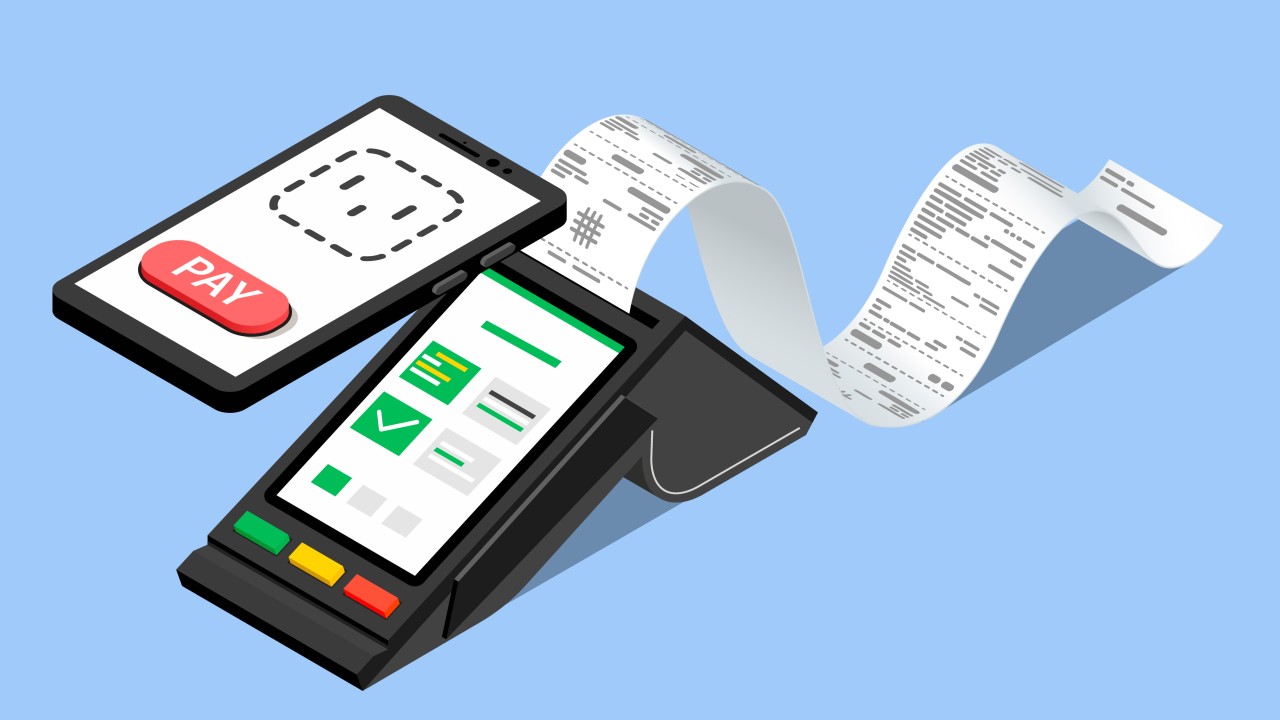
Why checkout speed and reliability matter
Customers are patient—until they aren't. Long waits, card retries and price mismatches push people to leave the line or choose a different store next time. The best-performing retailers treat checkout like a product: they measure how long transactions take, how often errors occur and how often systems slow down at peak. Small gains add up quickly across hundreds of baskets a day. The goal isn't speed for its own sake—it's a calmer store, fewer mistakes, and staff who can focus on people instead of wrestling with screens.
The five metrics of an efficient POS
You don't need dozens of KPIs. These five tell the truth about checkout efficiency, and every one of them should be visible to the people who can move it:
Metric | What it tells you | Healthy direction |
|---|---|---|
Average transaction time | Friction per checkout — taps, lookups, payment waits | Falling, then stable |
Transactions per hour at peak | Real throughput when it matters most | Rising without added lanes |
Error / override rate | Price mismatches, voids, manual corrections | Near zero |
Payment retry rate | Terminal, network, or method problems | Near zero |
Downtime windows | System reliability during trading hours | None during peak |
Watch how changes—a reorganized menu, a new payment option, a hardware swap—shift these numbers week over week. If a change doesn't move a metric, it was decoration.
Set the foundation: hardware, network and hygiene
Even great software struggles on underpowered devices or shaky Wi-Fi. Terminals with modern processors, reliable scanners and receipt printers, and stable network segments make everything else easier. A little daily hygiene—cleaning scanner windows, keeping cables secure, restarting terminals on a cadence—prevents the slow drift that turns into outages on busy weekends. Managers should be able to spot failing devices and recurring issues before they become customer problems.
Make the software work for your staff
Efficiency usually comes from thoughtful configuration rather than brand-new systems:
Organize the sell screen the way staff think, not the way the database is structured. Best-sellers and common modifiers belong within one tap — a curated quick menu beats an alphabetical grid every shift.
Use clear names and consistent shortcuts so new hires move confidently in their first week.
Trim the payment flow. Every unnecessary choice between "total" and "paid" is queue time multiplied by every customer of the day. Support the contactless methods customers expect.
Kill double-entry. If a sale has to be re-typed anywhere — into accounting, into inventory, into a delivery app — the checkout wasn't really finished when the customer left.
Efficient transactions need inventory in the same system
Nothing slows a line like price discrepancies or items that "aren't in the system." When POS and inventory live in separate worlds, every return, exchange or special order becomes a manual exception. With stock, pricing and checkout in one platform, prices are always current, low-stock alerts prompt replenishment before popular items run out, and every sale deducts stock the moment it completes. Fewer overrides, faster resolutions, and end-of-day numbers that already reconcile. This is exactly how Qvian's POS and inventory are built — one system, not an integration.
Restaurant checkout efficiency: the kitchen is part of the transaction
In a restaurant or café, POS efficiency doesn't end at payment — the order has to reach the kitchen instantly and unambiguously. A kitchen display system (KDS) that receives items the moment they're fired removes the two classic time sinks: hand-carried tickets and re-read handwriting. Table-side or QR ordering goes further by removing the transcription step entirely — the guest's own selection is the order. And when the bill is settled, split payments, service charges, and room-charge routing should be single taps, not calculator work. See how this flows end-to-end in Qvian's restaurant POS and KDS.
Menu structure matters here too: a menu engineered around your Stars and Plowhorses is also a faster menu to sell from. If you haven't classified your items yet, start with our menu engineering guide.
Delivery and pickup: efficiency after the register
For delivery and takeaway operations, the checkout is only the first half of the transaction. An efficient setup keeps the order's status — accepted, preparing, ready, dispatched, delivered — in the same system as the payment, so nobody is reconciling a delivery app, a POS, and a WhatsApp thread at closing time. Watch two extra numbers: time from order to ready, and orders stranded between statuses. Stranded orders are the delivery equivalent of a stuck queue — invisible at the counter, obvious in the refund column.
Train for confidence, not scripts
The fastest checkouts happen when staff don't hesitate. Short, focused training sessions on navigation shortcuts, handling common errors and staying calm during peak hours do more than thick manuals ever will. Clear escalation paths—who to call, how to switch lanes, what to do when a payment reader fails—keep lines moving. Complement training with real-time guidance and simple tasking so managers can support teams on the floor instead of from a back office.
Where AI helps right now
Modern POS isn't just a cash drawer; it's the front door to your data. AI can flag when lines will form, suggest staffing before a bottleneck appears, and recommend complementary items that make sense for the basket in front of you — provided it's connected to your products, your prices and your live inventory, so suggestions are useful rather than random. In Qvian, the same data feeds Qvi, an assistant owners can simply ask "how were sales today?" or "which register is behind?" — turning the POS from a recording device into an operating view. Explore how it ties together at /platform/sales-and-pos and /platform/business-intelligence-and-qvi.
A quick-wins checklist
If you only do five things this month:
Time ten real transactions at peak; write down where the seconds go.
Rebuild the sell screen's first page around your actual top 20 items.
Fix the three most frequent price overrides at the source.
Put transaction time, error rate and downtime on one screen someone owns.
Restart and clean every terminal on a schedule — boring, and it works.
The payoff
A smoother checkout isn't just convenient; it changes the whole feel of a store. Lines move, staff smile more and customers come back because the path from cart to receipt is painless. The investment is practical: fix the small frictions, keep systems healthy and give teams the tools and information they need.
Ready to speed up your lanes? Discover Qvian Suite's AI-powered POS and operations tools and turn busy hours into your best hours.


